从文件中加载内容
在本课程中,你将学习如何要求用户选择一个文件,加载文件的内容,然后将这些内容放入我们的文本查看器的文本区域。
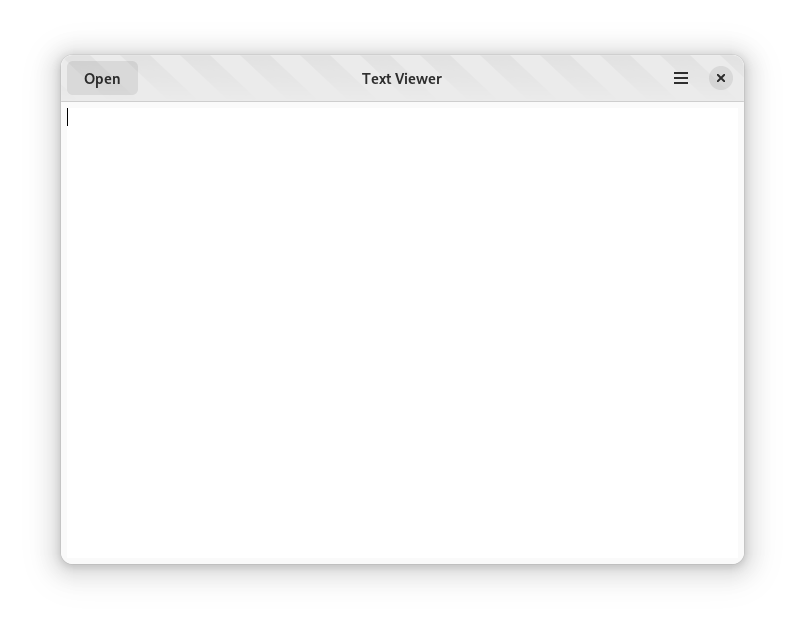
添加“打开”操作
将 open 操作 添加到 TextViewerWindow 的实例初始化中。
一旦你将 open 操作添加到窗口,你就可以将其作为 win.open 来引用
修改 TextViewerWindow 实例初始化函数
text_viewer_window_init以创建一个 GSimpleAction 并将其添加到窗口
static void
text_viewer_window__open_file_dialog (GAction          *action,
                                      GVariant         *parameter,
                                      TextViewerWindow *self);

static void
text_viewer_window_init (TextViewerWindow *self)
{
  gtk_widget_init_template (GTK_WIDGET (self));

  g_autoptr (GSimpleAction) open_action =
    g_simple_action_new ("open", NULL);
  g_signal_connect (open_action,
                    "activate",
                    G_CALLBACK (text_viewer_window__open_file_dialog),
                    self);
  g_action_map_add_action (G_ACTION_MAP (self),
                           G_ACTION (open_action));
}
打开
text_viewer-application.c源代码文件并找到 TextViewerApplication 实例初始化函数text_viewer_application_init将 Ctrl + O 作为 win.open 操作的加速快捷键添加
static void
text_viewer_application_init (TextViewerApplication *self)
{
  // ...

  gtk_application_set_accels_for_action (GTK_APPLICATION (self),
                                         "win.open",
                                         (const char *[]) {
                                           "<Ctrl>o",
                                           NULL,
                                         });
}
导入 Gio 模块并修改 TextViewerWindow 实例初始化以创建一个 GSimpleAction
from gi.repository import Adw, Gio, Gtk


@Gtk.Template(resource_path='/com/example/TextViewer/window.ui')
class TextViewerWindow(Gtk.ApplicationWindow):
  __gtype_name__ = 'TextViewerWindow'

  main_text_view = Gtk.Template.Child()
  open_button = Gtk.Template.Child()

  def __init__(self, **kwargs):
      super().__init__(**kwargs)

      open_action = Gio.SimpleAction(name="open")
      open_action.connect("activate", self.open_file_dialog)
      self.add_action(open_action)

  def open_file_dialog(self, action, _):
      pass
打开
main.py源代码文件并找到 Application 实例初始化函数将 Ctrl + O 作为 win.open 操作的加速快捷键添加
class Application(Adw.Application):
    def __init__(self):
        super().__init__(application_id='com.example.TextViewer',
                         flags=Gio.ApplicationFlags.FLAGS_NONE)

        # ...

        self.set_accels_for_action('win.open', ['<Ctrl>o'])
向 TextViewer.Window 添加一个 construct 块,以创建一个 SimpleAction 并将其添加到窗口
namespace TextViewer {
    [GtkTemplate (ui = "/org/example/app/window.ui")]
    public class Window : Gtk.ApplicationWindow {
        [GtkChild]
        private unowned Gtk.TextView main_text_view;

        [GtkChild]
        private unowned Gtk.Button open_button;

        public Window (Gtk.Application app) {
            Object (application: app);
        }

        construct {
            var open_action = new SimpleAction ("open", null);
            open_action.activate.connect (this.open_file_dialog);
            this.add_action (open_action);
        }
    }
}
打开
application.vala源代码文件并找到实例初始化函数将 Ctrl + O 作为 win.open 操作的加速快捷键添加
public Application () {
    Object (application_id: "com.example.TextViewer",
            flags: ApplicationFlags.FLAGS_NONE);
}

construct {
    // ...

    this.set_accels_for_action ("win.open", { "<Ctrl>o" });
}
扩展 TextViewerWindow 的构造函数以创建一个 SimpleAction 并将其添加到窗口。当操作被激活时,它将调用一个名为 openFileDialog 的新函数
export const TextViewerWindow = GObject.registerClass({
    GTypeName: 'TextViewerWindow',
    Template: 'resource:///com/example/TextViewer/window.ui',
    InternalChildren: ['main_text_view', 'open_button'],
}, class TextViewerWindow extends Adw.ApplicationWindow {
    constructor(application) {
       super({ application });

       const openAction = new Gio.SimpleAction({name: 'open'});
       openAction.connect('activate', () => this.openFileDialog());
       this.add_action(openAction);
   }

    openFileDialog() {
        // We'll write some logic here in a moment
    }
});
Gio.SimpleAction 类来自 Gio 库。你必须导入它
import GObject from 'gi://GObject';
import Gtk from 'gi://Gtk';
import Adw from 'gi://Adw';
import Gio from 'gi://Gio';
打开
main.js源代码文件并找到 TextViewerApplication 构造函数将 Ctrl + O 作为 win.open 操作的加速快捷键添加
constructor() {
    super({application_id: 'com.example.TextViewer', flags: Gio.ApplicationFlags.FLAGS_NONE});

    this.set_accels_for_action('win.open', [ '<Ctrl>o' ]);

    // ...
}
选择文件
现在你已经添加了操作,你必须定义在操作被激活时将调用的函数。
在
text_viewer_window__open_file_dialog函数内部,你创建一个 GtkFileDialog 对象,它将向用户呈现一个 文件选择对话框
static void
text_viewer_window__open_file_dialog (GAction          *action G_GNUC_UNUSED,
                                      GVariant         *parameter G_GNUC_UNUSED,
                                      TextViewerWindow *self)
{
  g_autoptr (GtkFileDialog) dialog = gtk_file_dialog_new ();

  gtk_file_dialog_open (dialog,
                        GTK_WINDOW (self),
                        NULL,
                        on_open_response,
                        self);
}
on_open_response 函数处理用户在选择文件并关闭对话框或仅关闭对话框而不选择文件后的响应
static void
on_open_response (GObject      *source,
                  GAsyncResult *result,
                  gpointer      user_data)
{
  GtkFileDialog *dialog = GTK_FILE_DIALOG (source);
  TextViewerWindow *self = user_data;

  g_autoptr (GFile) file =
    gtk_file_dialog_open_finish (dialog, result, NULL);

  // If the user selected a file, open it
  if (file != NULL)
    open_file (self, file);
}
在
open_file_dialog方法内部,你创建一个 GtkFileDialog 对象,它将向用户呈现一个 文件选择对话框
def open_file_dialog(self, action, parameter):
    # Create a new file selection dialog, using the "open" mode
    native = Gtk.FileDialog()
    native.open(self, None, self.on_open_response)
on_open_response 方法处理用户在选择文件并关闭对话框或仅关闭对话框而不选择文件后的响应
def on_open_response(self, dialog, result):
    file = dialog.open_finish(result)
    # If the user selected a file...
    if file is not None:
        # ... open it
        self.open_file(file)

def open_file(self, file):
    pass
在
window.vala中的 TextViewer.Window 的open_file_dialog方法内部,你创建一个 Gtk.FileChooserNative 对象,它将向用户呈现一个 文件选择对话框
private void open_file_dialog (Variant? parameter) {
    // Create a new file selection dialog, using the "open" mode
    // and keep a reference to it
    var filechooser = new Gtk.FileChooserNative ("Open File", null, Gtk.FileChooserAction.OPEN, "_Open", "_Cancel") {
        transient_for = this
    };
    filechooser.response.connect (  );
    filechooser.show ();
}
当文件选择器发出
response信号时,lambda 中的以下代码将被执行。这发生在用户选择文件并关闭对话框或仅关闭对话框而不选择文件之后
private void open_file_dialog (Variant? parameter) {
    // Create a new file selection dialog, using the "open" mode
    // and keep a reference to it
    var filechooser = new Gtk.FileChooserNative ("Open File", null, Gtk.FileChooserAction.OPEN, "_Open", "_Cancel") {
        transient_for = this
    };
    filechooser.response.connect ((dialog, response) => {
        // If the user selected a file...
        if (response == Gtk.ResponseType.ACCEPT) {
            // ... retrieve the location from the dialog and open it
            this.open_file (filechooser.get_file ());
        }
    });
    filechooser.show ();
}
在
window.js中的 TextViewerWindow 的openFileDialog方法内部,创建一个 Gtk.FileDialog 对象,它将向用户呈现一个 文件选择对话框
openFileDialog() {
   // Create a new file selection dialog
   const fileDialog = new Gtk.FileDialog();

   // Open the dialog and handle user's selection
   fileDialog.open(this, null, async (self, result) => {
      try {
         const file = self.open_finish(result);

         if (file) {
               await this.openFile(file); // We will define this method soon
         }
      } catch(_) {
         // user closed the dialog without selecting any file
      }
   });
}
读取文件内容
读取文件的内容可能需要任意时间,并阻塞应用程序的控制流。因此,建议你异步加载文件。这需要在 open_file 函数中启动“读取”操作
static void
open_file (TextViewerWindow *self,
           GFile            *file)
{
  g_file_load_contents_async (file,
                              NULL,
                              (GAsyncReadyCallback) open_file_complete,
                              self);
}
def open_file(self, file):
    file.load_contents_async(None, self.open_file_complete)
private void open_file (File file) {
    file.load_contents_async.begin (null, (object, result) => {});
}
首先,让我们确保我们能够使用 async/await 语法,以使我们的代码更简洁。打开 src 目录中的 main.js,并在导入下方添加以下代码
import GObject from 'gi://GObject';
import Gio from 'gi://Gio';
import Gtk from 'gi://Gtk?version=4.0';
import Adw from 'gi://Adw?version=1';

import { TextViewerWindow } from './window.js';

Gio._promisify(Gio.File.prototype,
    'load_contents_async',
    'load_contents_finish');

// ...
我们使用了 Promisify Helper 将 load_contents_async 函数转换为返回 Promise 的函数。
现在让我们在 TextViewerWindow 类的 openFile 方法中调用该函数
async openFile(file) {
    let contentsBytes;
    try {
        // Retrieve contents asynchronously
        // The first index of the returned array contains a byte
        // array of the contents
        contentsBytes = (await file.load_contents_async(null))[0];
    } catch (e) {
        logError(e, `Unable to open ${file.peek_path()}`);
        return;
    }
}
一旦异步操作完成,或者如果发生错误,将调用 open_file_complete 函数,并且你需要完成异步加载操作
static void
open_file_complete (GObject          *source_object,
                    GAsyncResult     *result,
                    TextViewerWindow *self)
{
  GFile *file = G_FILE (source_object);

  g_autofree char *contents = NULL;
  gsize length = 0;

  g_autoptr (GError) error = NULL;

  // Complete the asynchronous operation; this function will either
  // give you the contents of the file as a byte array, or will
  // set the error argument
  g_file_load_contents_finish (file,
                               result,
                               &contents,
                               &length,
                               NULL,
                               &error);

  // In case of error, print a warning to the standard error output
  if (error != NULL)
    {
      g_printerr ("Unable to open “%s”: %s\n",
                  g_file_peek_path (file),
                  error->message);
      return;
    }
 }
def open_file_complete(self, file, result):
    contents = file.load_contents_finish(result)
    if not contents[0]:
        path = file.peek_path()
        print(f"Unable to open {path}: {contents[1]}")
        return
private void open_file (File file) {
    file.load_contents_async.begin (null, (object, result) => {
      uint8[] contents;
      try {
         // Complete the asynchronous operation; this function will either
         // give you the contents of the file as a byte array, or will
         // raise an exception
         file.load_contents_async.end (result, out contents, null);
      } catch (Error e) {
         // In case of an error, print a warning to the standard error output
         stderr.printf ("Unable to open “%s“: %s", file.peek_path (), e.message);
      }
    });
}
由于我们使用了 async/await 语法,我们不需要做任何其他事情来完成文件读取操作。如果你选择了 “传统”异步操作处理,则情况并非如此
在文本区域内显示内容
现在你已经有了文件的内容,你可以在 GtkTextView 部件中显示它们。
验证文件的内容是否使用 UTF-8 编码,因为 GTK 需要所有文本部件都使用 UTF-8 编码
static void
open_file_complete (GObject          *source_object,
                    GAsyncResult     *result,
                    TextViewerWindow *self)
{
  GFile *file = G_FILE (source_object);

  g_autofree char *contents = NULL;
  gsize length = 0;

  g_autoptr (GError) error = NULL;

  // Complete the asynchronous operation; this function will either
  // give you the contents of the file as a byte array, or will
  // set the error argument
  g_file_load_contents_finish (file,
                               result,
                               &contents,
                               &length,
                               NULL,
                               &error);

  // In case of error, print a warning to the standard error output
  if (error != NULL)
    {
      g_printerr ("Unable to open the “%s”: %s\n",
                  g_file_peek_path (file),
                  error->message);
      return;
    }

  // Ensure that the file is encoded with UTF-8
  if (!g_utf8_validate (contents, length, NULL))
    {
      g_printerr ("Unable to load the contents of “%s”: "
                  "the file is not encoded with UTF-8\n",
                  g_file_peek_path (file));
      return;
    }
}
修改
open_file_complete函数以检索 GtkTextView 部件用于存储文本的 GtkTextBuffer 实例,并设置其内容
static void
open_file_complete (GObject          *source_object,
                    GAsyncResult     *result,
                    TextViewerWindow *self)
{
  GFile *file = G_FILE (source_object);

  g_autofree char *contents = NULL;
  gsize length = 0;

  g_autoptr (GError) error = NULL;

  // Complete the asynchronous operation; this function will either
  // give you the contents of the file as a byte array, or will
  // set the error argument
  g_file_load_contents_finish (file,
                               result,
                               &contents,
                               &length,
                               NULL,
                               &error);

  // In case of error, print a warning to the standard error output
  if (error != NULL)
    {
      g_printerr ("Unable to open the “%s”: %s\n",
                  g_file_peek_path (file),
                  error->message);
      return;
    }

  // Ensure that the file is encoded with UTF-8
  if (!g_utf8_validate (contents, length, NULL))
    {
      g_printerr ("Unable to load the contents of “%s”: "
                  "the file is not encoded with UTF-8\n",
                  g_file_peek_path (file));
      return;
    }

  // Retrieve the GtkTextBuffer instance that stores the
  // text displayed by the GtkTextView widget
  GtkTextBuffer *buffer = gtk_text_view_get_buffer (self->main_text_view);

  // Set the text using the contents of the file
  gtk_text_buffer_set_text (buffer, contents, length);

  // Reposition the cursor so it's at the start of the text
  GtkTextIter start;
  gtk_text_buffer_get_start_iter (buffer, &start);
  gtk_text_buffer_place_cursor (buffer, &start);
}
验证文件的内容是否使用 UTF-8 编码,因为 GTK 需要所有文本部件都使用 UTF-8 编码
def open_file_complete(self, file, result):
    contents = file.load_contents_finish(result)
    if not contents[0]:
        path = file.peek_path()
        print(f"Unable to open {path}: {contents[1]}")
        return

    try:
        text = contents[1].decode('utf-8')
    except UnicodeError as err:
        path = file.peek_path()
        print(f"Unable to load the contents of {path}: the file is not encoded with UTF-8")
        return
修改
open_file_complete函数以检索 GtkTextView 部件用于存储文本的 GtkTextBuffer 实例,并设置其内容
def open_file_complete(self, file, result):
    contents = file.load_contents_finish(result)
    if not contents[0]:
        path = file.peek_path()
        print(f"Unable to open {path}: {contents[1]}")
        return

    try:
        text = contents[1].decode('utf-8')
    except UnicodeError as err:
        path = file.peek_path()
        print(f"Unable to load the contents of {path}: the file is not encoded with UTF-8")
        return

    buffer = self.main_text_view.get_buffer()
    buffer.set_text(text)
    start = buffer.get_start_iter()
    buffer.place_cursor(start)
验证文件的内容是否使用 UTF-8 编码,因为 GTK 需要所有文本部件都使用 UTF-8 编码
private void open_file (File file) {
    file.load_contents_async.begin (null, (object, result) => {
        uint8[] contents;
        try {
            // Complete the asynchronous operation; this function will either
            // give you the contents of the file as a byte array, or will
            // raise an exception
            file.load_contents_async.end (result, out contents, null);
        } catch (Error e) {
            // In case of an error, print a warning to the standard error output
            stderr.printf ("Unable to open “%s“: %s", file.peek_path (), e.message);
        }

        // Ensure that the file is encoded with UTF-8
        if (!((string) contents).validate ())
            stderr.printf ("Unable to load the contents of “%s”: "+
                           "the file is not encoded with UTF-8\n",
                           file.peek_path ());
    });
}
修改处理加载结束的程序以检索 Gtk.TextView 部件用于存储文本的 Gtk.TextBuffer 实例,并设置其内容
private void open_file (File file) {
    file.load_contents_async.begin (null, (object, result) => {
        uint8[] contents;
        try {
            // Complete the asynchronous operation; this function will either
            // give you the contents of the file as a byte array, or will
            // raise an exception
            file.load_contents_async.end (result, out contents, null);
        } catch (Error e) {
            // In case of an error, print a warning to the standard error output
            stderr.printf ("Unable to open “%s“: %s", file.peek_path (), e.message);
        }

        // Ensure that the file is encoded with UTF-8
        if (!((string) contents).validate ())
            stderr.printf ("Unable to load the contents of “%s”: "+
                           "the file is not encoded with UTF-8\n",
                           file.peek_path ());

        // Retrieve the GtkTextBuffer instance that stores the
        // text displayed by the GtkTextView widget
        Gtk.TextBuffer buffer = this.main_text_view.buffer;

        // Set the text using the contents of the file
        buffer.text = (string) contents;

        // Reposition the cursor so it's at the start of the text
        Gtk.TextIter start;
        buffer.get_start_iter (out start);
        buffer.place_cursor (start);
    });
}
导入 GLib,因为它包含我们需要的一个函数 - utf8_validate
import GObject from 'gi://GObject';
import Gtk from 'gi://Gtk';
import Adw from 'gi://Adw';
import Gio from 'gi://Gio';
import GLib from 'gi://GLib';
验证文件的内容是否使用 UTF-8 编码,因为 GTK 需要所有文本部件都使用 UTF-8 编码
async openFile(file) {
    let contentsBytes;
    try {
        contentsBytes = (await file.load_contents_async(null))[0];
    } catch (e) {
        logError(e, `Unable to open ${file.peek_path()}`);
        return;
    }

    if (!GLib.utf8_validate(contentsBytes)) {
        logError(`Invalid text encoding for ${file.peek_path()}`);
        return;
    }
}
检索 Gtk.TextView 部件用于存储文本的 Gtk.TextBuffer 实例,并设置其内容
async openFile(file) {
    let contentsBytes;
    try {
        contentsBytes = (await file.load_contents_async(null))[0];
    } catch (e) {
        logError(e, `Unable to open ${file.peek_path()}`);
        return;
    }

    if (!GLib.utf8_validate(contentsBytes)) {
        logError(`Invalid text encoding for ${file.peek_path()}`);
    }

    // Convert a UTF-8 bytes array into a String
    const contentsText = new TextDecoder('utf-8').decode(contentsBytes);

    // Retrieve the GtkTextBuffer instance that stores the
    // text displayed by the GtkTextView widget
    const buffer = this._main_text_view.buffer;

    // Set the text using the contents of the file
    buffer.text = contentsText;

    // Reposition the cursor so it's at the start of the text
    const startIterator = buffer.get_start_iter();
    buffer.place_cursor(startIterator);
}
更新窗口标题
由于应用程序现在正在显示特定文件的内容,你应该确保用户界面反映这种新状态。一种方法是用文件的名称更新窗口标题。
由于文件名使用操作系统提供的原始文件编码,我们需要查询文件的 显示名称。
修改
open_file_complete函数以查询“显示名称”文件属性使用显示名称设置窗口标题
static void
open_file_complete (GObject          *source_object,
                    GAsyncResult     *result,
                    TextViewerWindow *self)
{
  GFile *file = G_FILE (source_object);

  g_autofree char *contents = NULL;
  gsize length = 0;

  g_autoptr (GError) error = NULL;

  // Complete the asynchronous operation; this function will either
  // give you the contents of the file as a byte array, or will
  // set the error argument
  g_file_load_contents_finish (file,
                               result,
                               &contents,
                               &length,
                               NULL,
                               &error);

  // Query the display name for the file
  g_autofree char *display_name = NULL;
  g_autoptr (GFileInfo) info =
    g_file_query_info (file,
                       "standard::display-name",
                       G_FILE_QUERY_INFO_NONE,
                       NULL,
                       NULL);
  if (info != NULL)
    {
      display_name =
        g_strdup (g_file_info_get_attribute_string (info, "standard::display-name"));
    }
  else
    {
      display_name = g_file_get_basename (file);
    }

  // In case of error, print a warning to the standard error output
  if (error != NULL)
    {
      g_printerr ("Unable to open “%s”: %s\n",
                  g_file_peek_path (file),
                  error->message);
      return;
    }

  // Ensure that the file is encoded with UTF-8
  if (!g_utf8_validate (contents, length, NULL))
    {
      g_printerr ("Unable to load the contents of “%s”: "
                  "the file is not encoded with UTF-8\n",
                  g_file_peek_path (file));
      return;
    }

  // Retrieve the GtkTextBuffer instance that stores the
  // text displayed by the GtkTextView widget
  GtkTextBuffer *buffer = gtk_text_view_get_buffer (self->main_text_view);

  // Set the text using the contents of the file
  gtk_text_buffer_set_text (buffer, contents, length);

  // Reposition the cursor so it's at the start of the text
  GtkTextIter start;
  gtk_text_buffer_get_start_iter (buffer, &start);
  gtk_text_buffer_place_cursor (buffer, &start);

  // Set the title using the display name
  gtk_window_set_title (GTK_WINDOW (self), display_name);
}
def open_file_complete(self, file, result):
    info = file.query_info("standard::display-name", Gio.FileQueryInfoFlags.NONE)
    if info:
        display_name = info.get_attribute_string("standard::display-name")
    else:
        display_name = file.get_basename()

    contents = file.load_contents_finish(result)

    if not contents[0]:
        path = file.peek_path()
        print(f"Unable to open {path}: {contents[1]}")
        return

    try:
        text = contents[1].decode('utf-8')
    except UnicodeError as err:
        path = file.peek_path()
        print(f"Unable to load the contents of {path}: the file is not encoded with UTF-8")
        return

    buffer = self.main_text_view.get_buffer()
    buffer.set_text(text)
    start = buffer.get_start_iter()
    buffer.place_cursor(start)

    self.set_title(display_name)
private void open_file (File file) {
    file.load_contents_async.begin (null, (object, result) => {
        string display_name;
        // Query the display name for the file
        try {
            FileInfo? info = file.query_info ("standard::display-name", FileQueryInfoFlags.NONE);
            display_name = info.get_attribute_string ("standard::display-name");
        } catch (Error e) {
            display_name = file.get_basename ();
        }

        uint8[] contents;
        try {
            // Complete the asynchronous operation; this function will either
            // give you the contents of the file as a byte array, or will
            // raise an exception
            file.load_contents_async.end (result, out contents, null);
        } catch (Error e) {
            // In case of an error, print a warning to the standard error output
            stderr.printf ("Unable to open “%s“: %s", file.peek_path (), e.message);
        }

        // Ensure that the file is encoded with UTF-8
        if (!((string) contents).validate ())
            stderr.printf ("Unable to load the contents of “%s”: "+
                           "the file is not encoded with UTF-8\n",
                           file.peek_path ());

        // Retrieve the GtkTextBuffer instance that stores the
        // text displayed by the GtkTextView widget
        Gtk.TextBuffer buffer = this.main_text_view.buffer;

        // Set the text using the contents of the file
        buffer.text = (string) contents;

        // Reposition the cursor so it's at the start of the text
        Gtk.TextIter start;
        buffer.get_start_iter (out start);
        buffer.place_cursor (start);

        // Set the title using the display name
        this.title = display_name;
    });
}
async openFile(file) {
    // Get the name of the file
    let fileName;
    try {
        const fileInfo = file.query_info("standard::display-name", FileQueryInfoFlags.NONE);
        fileName = fileInfo.get_attribute_string("standard::display-name");
    } catch(_) {
        fileName = file.get_basename();
    }

    let contentsBytes;
    try {
        contentsBytes = (await file.load_contents_async(null))[0];
    } catch (e) {
        logError(e, `Unable to open ${file.peek_path()}`);
        return;
    }

    if (!GLib.utf8_validate(contentsBytes)) {
        logError(`Invalid text encoding for ${file.peek_path()}`);
        return;
    }

    const contentsText = new TextDecoder('utf-8').decode(contentsBytes);

    const buffer = this._main_text_view.buffer;

    buffer.text = contentsText;

    const startIterator = buffer.get_start_iter();
    buffer.place_cursor(startIterator);

    // Set the window title using the loaded file's name
    this.title = fileName;
}
将“打开”快捷键添加到键盘快捷键帮助
键盘快捷键 帮助对话框是 GNOME Builder 中 GNOME 应用程序模板的一部分。GTK 会自动处理其创建以及向用户呈现该操作。
在源代码目录中找到
help-overlay.ui文件找到 GtkShortcutsGroup 定义
在快捷键组中添加一个新的 GtkShortcutsShortcut 定义,用于 win.open 操作
<object class="GtkShortcutsGroup">
  <property name="title" translatable="yes" context="shortcut window">General</property>
  <child>
    <object class="GtkShortcutsShortcut">
      <property name="title" translatable="yes" context="shortcut window">Open</property>
      <property name="action-name">win.open</property>
    </object>
  </child>
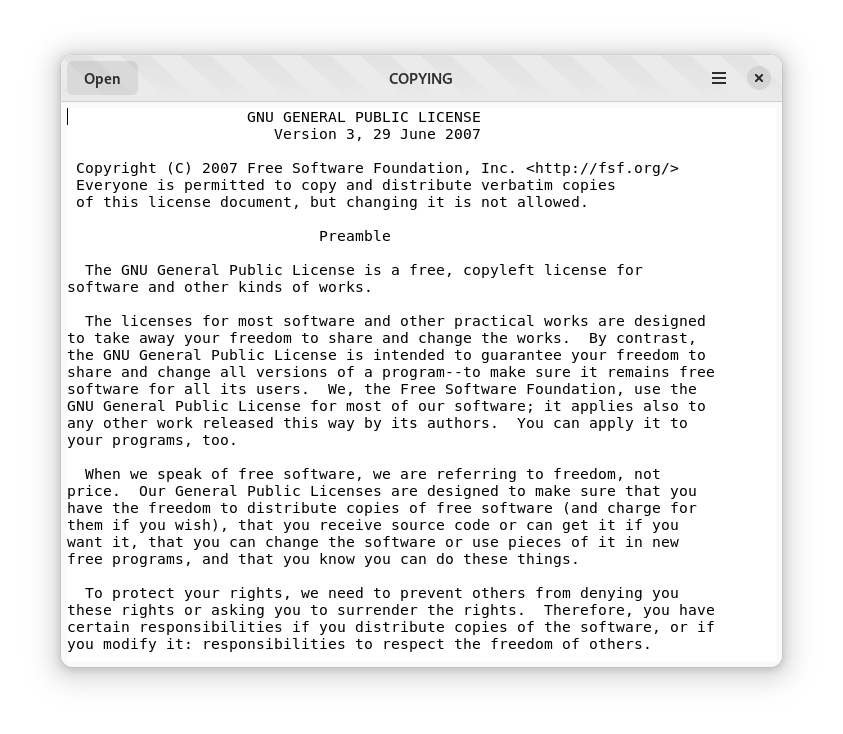
现在你应该能够运行应用程序,按下 打开 按钮或 Ctrl + O,并在你的系统中选择一个文本文件。例如,你可以导航到文本查看器项目目录,并选择源代码中的 COPYING 文件