显示光标位置
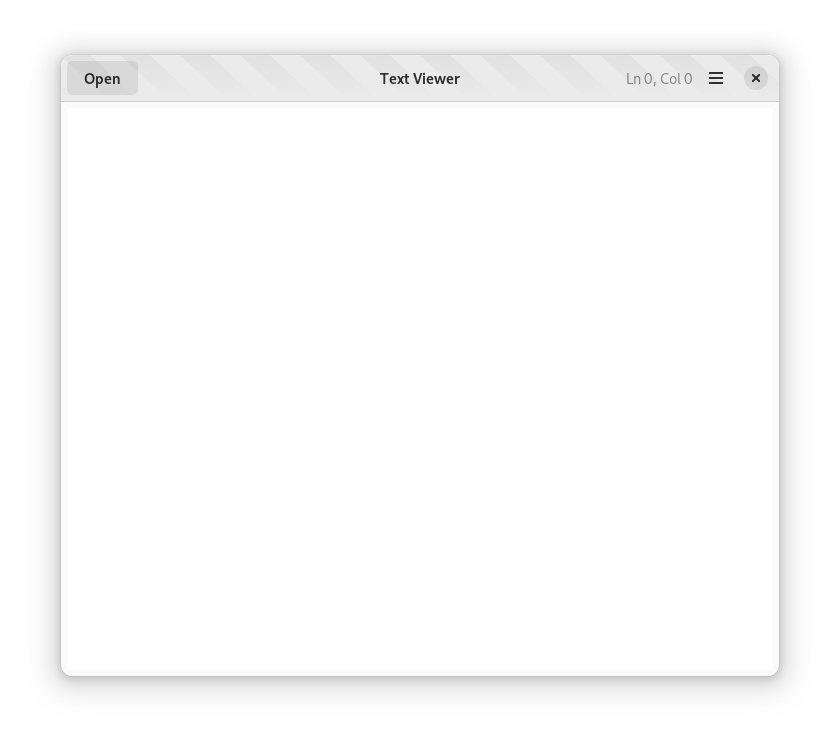
在本课中,你将学习如何使用 GtkTextBuffer 来接收文本区域小部件内光标位置的通知,并更新文本查看器应用程序的页眉栏中的标签。
添加光标位置指示器
更新 UI 定义
在 TextViewerWindow 类的 UI 定义文件中,将一个 GtkLabel 作为 AdwHeaderBar 的子控件添加;该标签必须作为 end 类型的子控件打包,并放置在 GtkMenuButton 之后
该标签具有 cursor_pos 标识符,将在 TextViewerWindow 模板中用于绑定它
该标签具有初始内容 Ln 0, Col 0,使用 label 属性设置
此外,该标签具有两个样式类
dim-label,用于降低默认主题中的对比度
numeric,它将在标签使用的字体中使用表格数字
<object class="AdwHeaderBar" id="header_bar">
  <child type="start">
    <object class="GtkButton" id="open_button">
      <property name="label">Open</property>
      <property name="action-name">win.open</property>
    </object>
  </child>
  <child type="end">
    <object class="GtkMenuButton">
      <property name="primary">True</property>
      <property name="icon-name">open-menu-symbolic</property>
      <property name="tooltip-text" translatable="yes">Menu</property>
      <property name="menu-model">primary_menu</property>
    </object>
  </child>
  <child type="end">
    <object class="GtkLabel" id="cursor_pos">
      <property name="label">Ln 0, Col 0</property>
      <style>
        <class name="dim-label"/>
        <class name="numeric"/>
      </style>
    </object>
  </child>
</object>
在你的源代码中绑定模板
现在,你必须在 TextViewerWindow 实例结构中添加一个新成员,用于 cursor_pos 标签
struct _TextViewerWindow
{
  AdwApplicationWindow  parent_instance;

  /* Template widgets */
  AdwHeaderBar *header_bar;
  GtkTextView *main_text_view;
  GtkButton *open_button;
  GtkLabel *cursor_pos;
};
在 TextViewerWindow 类型的类初始化函数
text_viewer_window_class_init中,将新添加的 cursor_pos 小部件绑定到模板
static void
text_viewer_window_class_init (TextViewerWindowClass *klass)
{
  GtkWidgetClass *widget_class = GTK_WIDGET_CLASS (klass);

  gtk_widget_class_set_template_from_resource (widget_class, "/com/example/TextViewer/text_viewer-window.ui");
  gtk_widget_class_bind_template_child (widget_class, TextViewerWindow, header_bar);
  gtk_widget_class_bind_template_child (widget_class, TextViewerWindow, main_text_view);
  gtk_widget_class_bind_template_child (widget_class, TextViewerWindow, open_button);
  gtk_widget_class_bind_template_child (widget_class, TextViewerWindow, cursor_pos);
}
将 cursor_pos 小部件添加到 TextViewerWindow 类
@Gtk.Template(resource_path='/com/example/TextViewer/window.ui')
class TextViewerWindow(Adw.ApplicationWindow):
    __gtype_name__ = 'TextViewerWindow'

    main_text_view = Gtk.Template.Child()
    open_button = Gtk.Template.Child()
    cursor_pos = Gtk.Template.Child()
将 cursor_pos 小部件添加到 TextViewer.Window 类
namespace TextViewer {
    [GtkTemplate (ui = "/org/example/app/window.ui")]
    public class Window : Adw.ApplicationWindow {
        [GtkChild]
        private unowned Gtk.TextView main_text_view;

        [GtkChild]
        private unowned Gtk.Button open_button;

        [GtkChild]
        private unowned Gtk.Label cursor_pos;

        public Window (Gtk.Application app) {
            Object (application: app);
        }

        construct {
            var open_action = new SimpleAction ("open", null);
            open_action.activate.connect (this.open_file_dialog);
            this.add_action (open_action);
        }

        // ...
    }
}
将 cursor_pos 小部件添加到 TextViewer.Window 类
export const TextViewerWindow = GObject.registerClass({
    GTypeName: 'TextViewerWindow',
    Template: 'resource:///com/example/TextViewer/window.ui',
    InternalChildren: ['main_text_view', 'open_button', 'cursor_pos'],
}, class TextViewerWindow extends Adw.ApplicationWindow {
    constructor(application) {
        super({ application });

        const openAction = new Gio.SimpleAction({name: 'open'});
        openAction.connect('activate', () => this.openFileDialog());
        this.add_action(openAction);
    }

    // ...
});
更新光标位置标签
从 main_text_view 小部件中检索 GtkTextBuffer,并连接一个回调函数到 notify::cursor-position 信号,以便在
cursor-position属性更改时接收通知
static void
text_viewer_window__update_cursor_position (GtkTextBuffer *buffer,
                                            GParamSpec *pspec,
                                            TextViewerWindow *self);

static void
text_viewer_window_init (TextViewerWindow *self)
{
  gtk_widget_init_template (GTK_WIDGET (self));

  g_autoptr (GSimpleAction) open_action = g_simple_action_new ("open", NULL);
  g_signal_connect (open_action, "activate", G_CALLBACK (text_viewer_window__open), self);
  g_action_map_add_action (G_ACTION_MAP (self), G_ACTION (open_action));

  GtkTextBuffer *buffer = gtk_text_view_get_buffer (self->main_text_view);
  g_signal_connect (buffer,
                    "notify::cursor-position",
                    G_CALLBACK (text_viewer_window__update_cursor_position),
                    self);
}
@Gtk.Template(resource_path='/com/example/TextViewer/window.ui')
class TextViewerWindow(Gtk.ApplicationWindow):
    __gtype_name__ = 'TextViewerWindow'

    main_text_view = Gtk.Template.Child()
    open_button = Gtk.Template.Child()
    cursor_pos = Gtk.Template.Child()

    def __init__(self, **kwargs):
        super().__init__(**kwargs)

        open_action = Gio.SimpleAction(name="open")
        open_action.connect("activate", self.open_file_dialog)
        self.add_action(open_action)

        buffer = self.main_text_view.get_buffer()
        buffer.connect("notify::cursor-position", self.update_cursor_position)
namespace TextViewer {
    public class Window : Adw.ApplicationWindow {

        // ...

        public Window (Gtk.Application app) {
            Object (application: app);
        }

        construct {
            var open_action = new SimpleAction ("open", null);
            open_action.activate.connect (this.open_file_dialog);
            this.add_action (open_action);

            Gtk.TextBuffer buffer = this.main_text_view.buffer;
            buffer.notify["cursor-position"].connect (this.update_cursor_position);
        }

        // ...
    }
}
export const TextViewerWindow = GObject.registerClass({
    GTypeName: 'TextViewerWindow',
    Template: 'resource:///com/example/TextViewer/window.ui',
    InternalChildren: ['main_text_view', 'open_button', 'cursor_pos'],
}, class TextViewerWindow extends Adw.ApplicationWindow {
    constructor(application) {
        super({ application });

        const openAction = new Gio.SimpleAction({name: 'open'});
        openAction.connect('activate', () => this.openFileDialog());
        this.add_action(openAction);

        const buffer = this._main_text_view.buffer;
        buffer.connect(
           "notify::cursor-position",
           this.updateCursorPosition.bind(this));
    }

    // ...
});
定义
notify::cursor-position回调函数,以从 GtkTextBuffer 对象中检索光标位置,并更新 cursor_pos 标签的内容
static void
text_viewer_window__update_cursor_position (GtkTextBuffer    *buffer,
                                            GParamSpec       *pspec G_GNUC_UNUSED,
                                            TextViewerWindow *self)
{
  int cursor_pos = 0;

  // Retrieve the value of the "cursor-position" property
  g_object_get (buffer, "cursor-position", &cursor_pos, NULL);

  // Construct the text iterator for the position of the cursor
  GtkTextIter iter;
  gtk_text_buffer_get_iter_at_offset (buffer, &iter, cursor_pos);

  // Set the new contents of the label
  g_autofree char *cursor_str =
    g_strdup_printf ("Ln %d, Col %d",
                     gtk_text_iter_get_line (&iter) + 1,
                     gtk_text_iter_get_line_offset (&iter) + 1);

  gtk_label_set_text (self->cursor_pos, cursor_str);
}
def update_cursor_position(self, buffer, _):
    # Retrieve the value of the "cursor-position" property
    cursor_pos = buffer.props.cursor_position
    # Construct the text iterator for the position of the cursor
    iter = buffer.get_iter_at_offset(cursor_pos)
    line = iter.get_line() + 1
    column = iter.get_line_offset() + 1
    # Set the new contents of the label
    self.cursor_pos.set_text(f"Ln {line}, Col {column}")
private void update_cursor_position (Object source_object, ParamSpec pspec) {
    var buffer = source_object as Gtk.TextBuffer;
    int cursor_position = buffer.cursor_position;

    Gtk.TextIter iter;
    buffer.get_iter_at_offset (out iter, cursor_position);

    this.cursor_pos.label = @"Ln $(iter.get_line ()), Col $(iter.get_line_offset ())";
}
updateCursorPosition(buffer) {
    const iterator = buffer.get_iter_at_offset(buffer.cursor_position);
    this._cursor_pos.label = `Ln ${iterator.get_line()}, Col ${iterator.get_line_offset()}`;
}
本课的目标是在 GtkTextView 小部件中的光标位置发生变化时,使用 GObject 提供的属性通知机制来更新 GtkLabel 小部件的内容。